
Between free online tools that promise hundreds of templates and professional software that requires a subscription, choosing a platform to design a wedding invitation is not just a matter of price. The real divide lies in what each solution actually allows you to produce: a shareable file via messaging, a printable PDF at home, or a document calibrated for a professional printer.
Comparing these three outcomes allows for an informed choice.
Free tools for wedding invitations: comparison of actual functions
Not all free platforms are equal. Some are limited to digital creation, while others allow for export for printing, and the differences often lie in the technical details.
| Criteria | Canva (free) | Adobe Express (free) | Wedding specialized editor |
|---|---|---|---|
| Wedding invitation templates | Large catalog | Extensive catalog | Targeted wedding catalog |
| PDF export with bleed | Yes | Yes | Variable depending on the tool |
| Color profile | RGB only | RGB only | RGB or CMYK depending on the tool |
| Integrated RSVP form | Not native | Not native | Often included |
| Direct digital sending | Shareable link | Shareable link | Email or link sending |
| Typographic customization | Limited fonts in free | Limited fonts in free | Variable |
This table reveals a technical point often overlooked: free exports remain in RGB, not CMYK. For digital sending or home printing, this poses no problem. For professional printing, the colors rendered on paper may differ significantly from the screen output.
Creating a free wedding invitation card with these tools is entirely viable for digital use or personal printing, provided you are aware of this limitation.

Digital or paper invitation: what the format changes for guests
The choice between a digital invitation and a paper card is not solely budget-driven. Each format alters the guest experience and the couple’s logistical management.
Concrete advantages of the digital invitation
A digital invitation directly integrates a link to the access map, the wedding website, or an RSVP form. Tracking responses occurs in real-time, simplifying guest list management.
Digital eliminates postal delays and postage costs. For a wedding with an extensive guest list, the savings are not insignificant.
What paper retains as an advantage
A physical card remains an object that guests keep, display on a refrigerator, or slip into a planner. The paper weight, texture, and finish (matte, satin, textured) contribute to a first impression that the screen cannot replicate.
However, home printing on standard paper rarely yields results comparable to that of a printer. The choice of paper weight and type conditions the perception of quality, much more than the design itself.
Content and design of the invitation: elements not to overlook
A wedding invitation contains three blocks of information, regardless of the chosen format:
- The announcement of the wedding: names of the couple and date of the ceremony. This is the central element that the guest should spot in a second.
- The detailed invitation: times and addresses of the venues (ceremony, reception), with a link or map for the digital format.
- The request for response (RSVP): contact details for responding by phone, email, or online form, accompanied by a deadline for response.
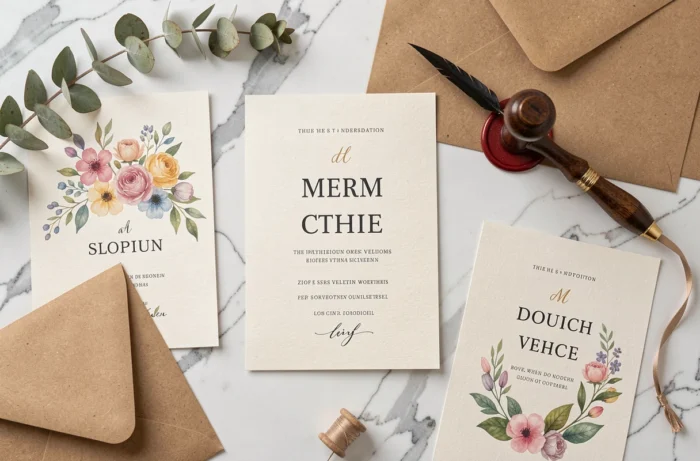
A clear message takes precedence over an overloaded design. Free templates often offer very decorative layouts. It is better to choose a readable font and limit graphic elements so that practical information remains at the forefront.
Color and typography: two underestimated levers
The dominant color of the invitation sets the tone for the wedding even before the guest reads the text. On Canva as well as on Adobe Express, predefined palettes facilitate consistency, but modifying the color of a free template does not guarantee a faithful print output. Testing on a sheet before launching a full print run avoids unpleasant surprises.
The font itself directly affects readability. Very fine cursive fonts, popular in wedding templates, can sometimes become illegible in small formats or on mobile screens.
Accessibility of the digital invitation: an angle still little considered
Since June 28, 2025, the European Accessibility Act applies to online commerce services under certain conditions. For an invitation sent via link or form, this reinforces the importance of checking a few simple points.
- The contrast between the text and the background must be sufficient for a visually impaired person to read the message.
- The RSVP form must be usable via keyboard, without the need to click on tiny areas.
- The content must remain readable by a screen reader, which excludes invitations entirely designed as an image without alternative text.
Making your invitation accessible does not require technical skills, but simply checking these three criteria before sending. Most free tools allow you to add alternative text to images and control color contrast.
A successful wedding invitation relies less on the chosen tool than on the clarity of the message and the suitability between the format (digital or paper) and the actual use. The time spent checking readability, color rendering, and the accessibility of the RSVP form weighs more than the number of templates available in a free library.